Open editor
Open source · No install · No upload

Make presentations online, right in your browser

DeckCraft is an open-source presentation editor with PowerPoint’s layout, written in Rust and running here in a browser tab. Build slides from themes and layouts, open a .pptx you were sent, and present full screen. Your files stay on your computer.

DeckCraft web build v0.5.0 · released Oct 11, 2026 · loads once, then opens from cache

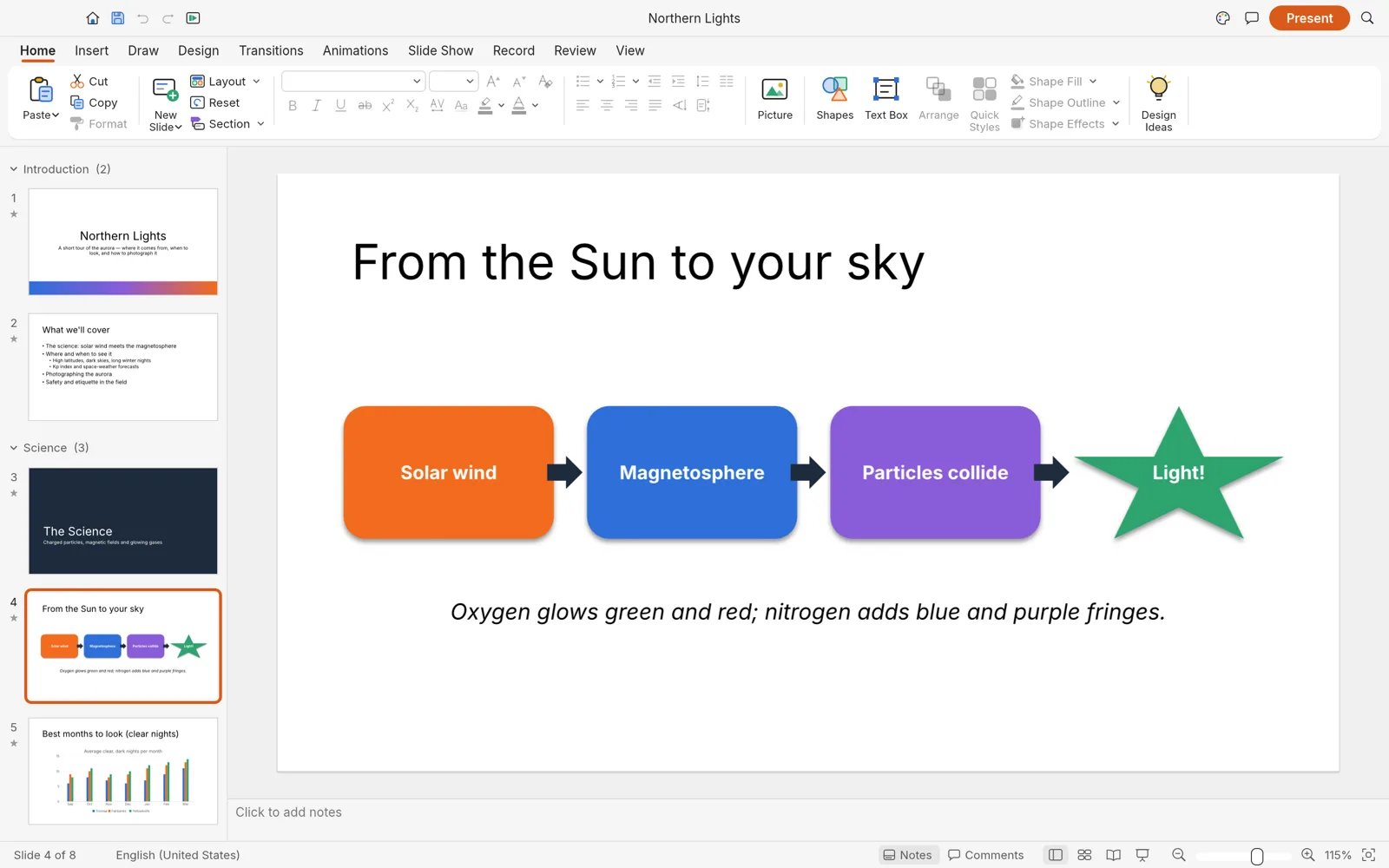
DeckCraft editing a slide with a four-step process diagram, slide thumbnails grouped into sections on the left and the notes area below
The built-in Northern Lights sample deck, with sections in the thumbnail pane and notes under the slide. Screenshot from the DeckCraft project.
PowerPoint filesOpen .pptx, export a .pptx copy
150+ shapesWith adjust handles, glued connectors and merge
48 transitionsMorph included, kept when you save as .pptx
Private by designEvery slide is built and drawn on your device
In the editor

If you know PowerPoint, you already know where things are

DeckCraft follows PowerPoint’s ribbon, panes and shortcuts, from F5 for the slide show to the search icon that finds any command by name. Here is some of what the web build does.

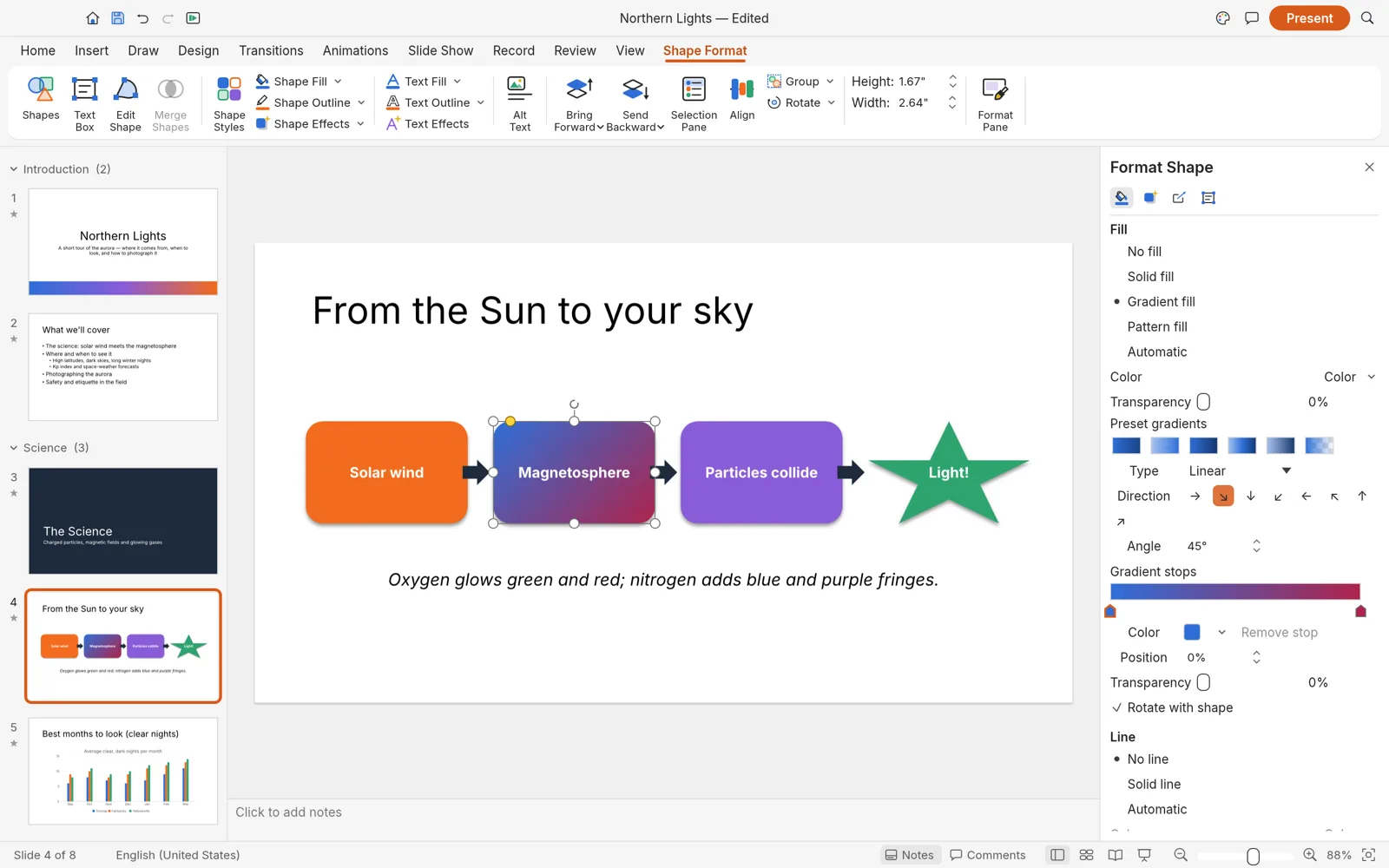
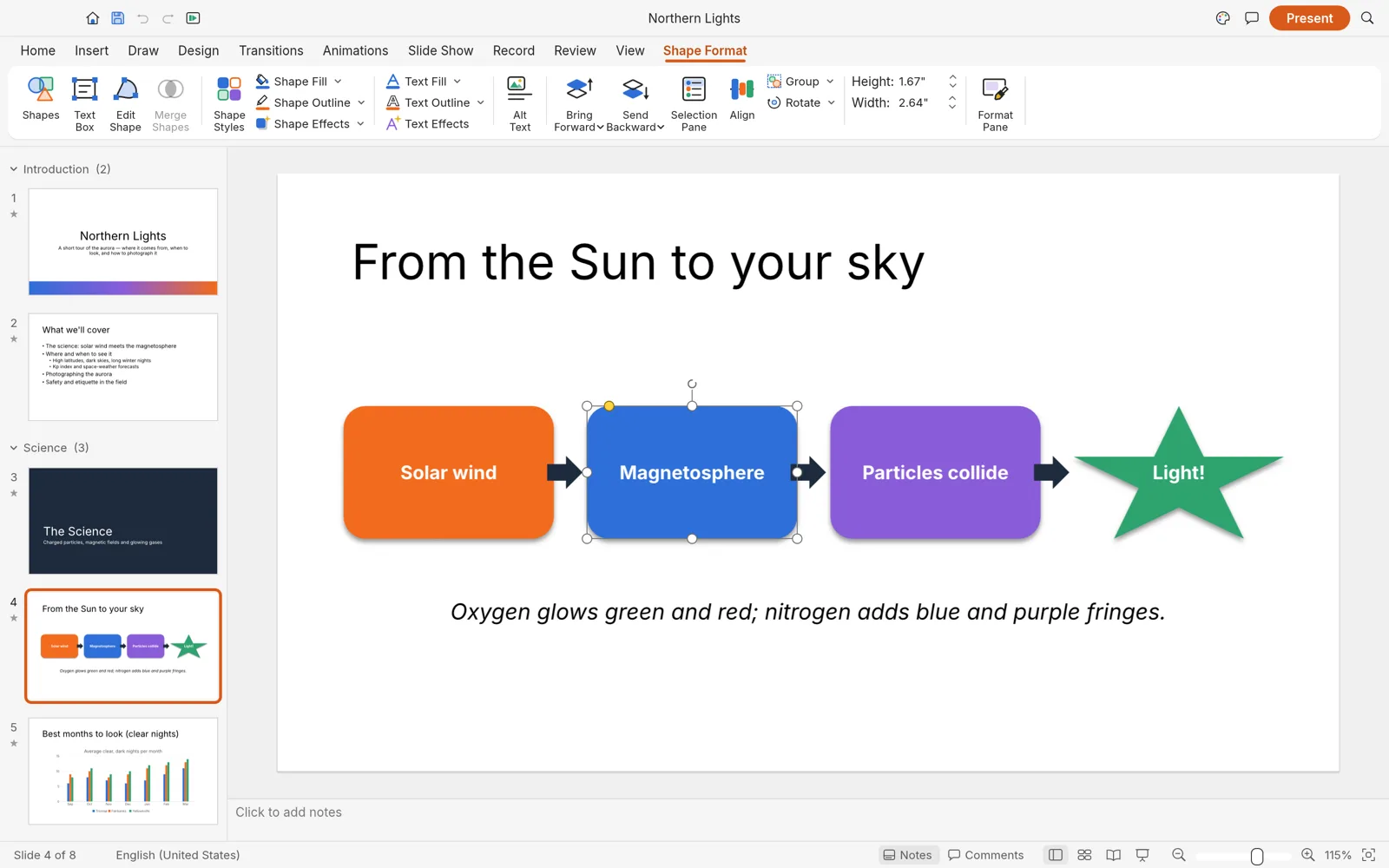
A process diagram of rounded rectangles joined by arrows, one shape selected with the Shape Format tab open on the ribbon

The ribbon you already know

Home, Insert, Draw, Design, Transitions, Animations, Slide Show, Review and View, with contextual tabs for shapes, pictures, tables and charts. Slide masters and eleven layouts give every slide placeholders that inherit position and formatting.

Screenshot from the DeckCraft project
The Format Shape pane editing a linear gradient fill with two color stops at a 45 degree angle

Shapes and formatting with depth

More than 150 preset shapes with adjust handles, connectors that stay glued when you move things, freeform and curve tools, and merge shapes. Fill with gradients, pictures or patterns; add outlines with arrowheads, shadows, glow, soft edges and reflections.

Screenshot from the DeckCraft project
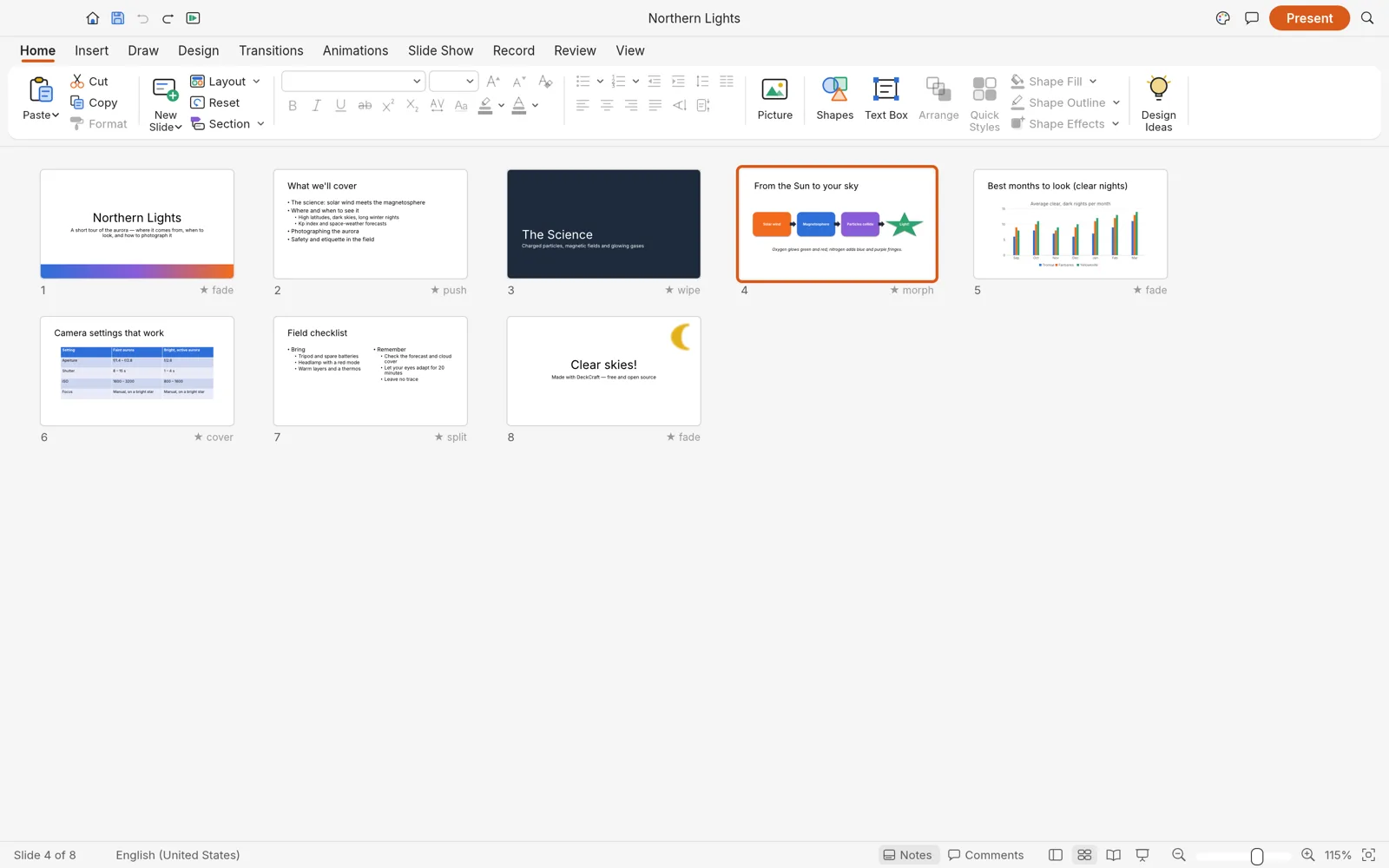
Slide Sorter view with eight slides in a grid, each labeled with its transition: fade, push, wipe, morph, cover and split

Transitions and animations, Morph included

Slide transitions, including Morph, plus entrance, emphasis, exit and motion-path animations that can build a list one paragraph at a time. Slide Sorter shows every slide with its transition, and sections keep long decks in order.

Screenshot from the DeckCraft project
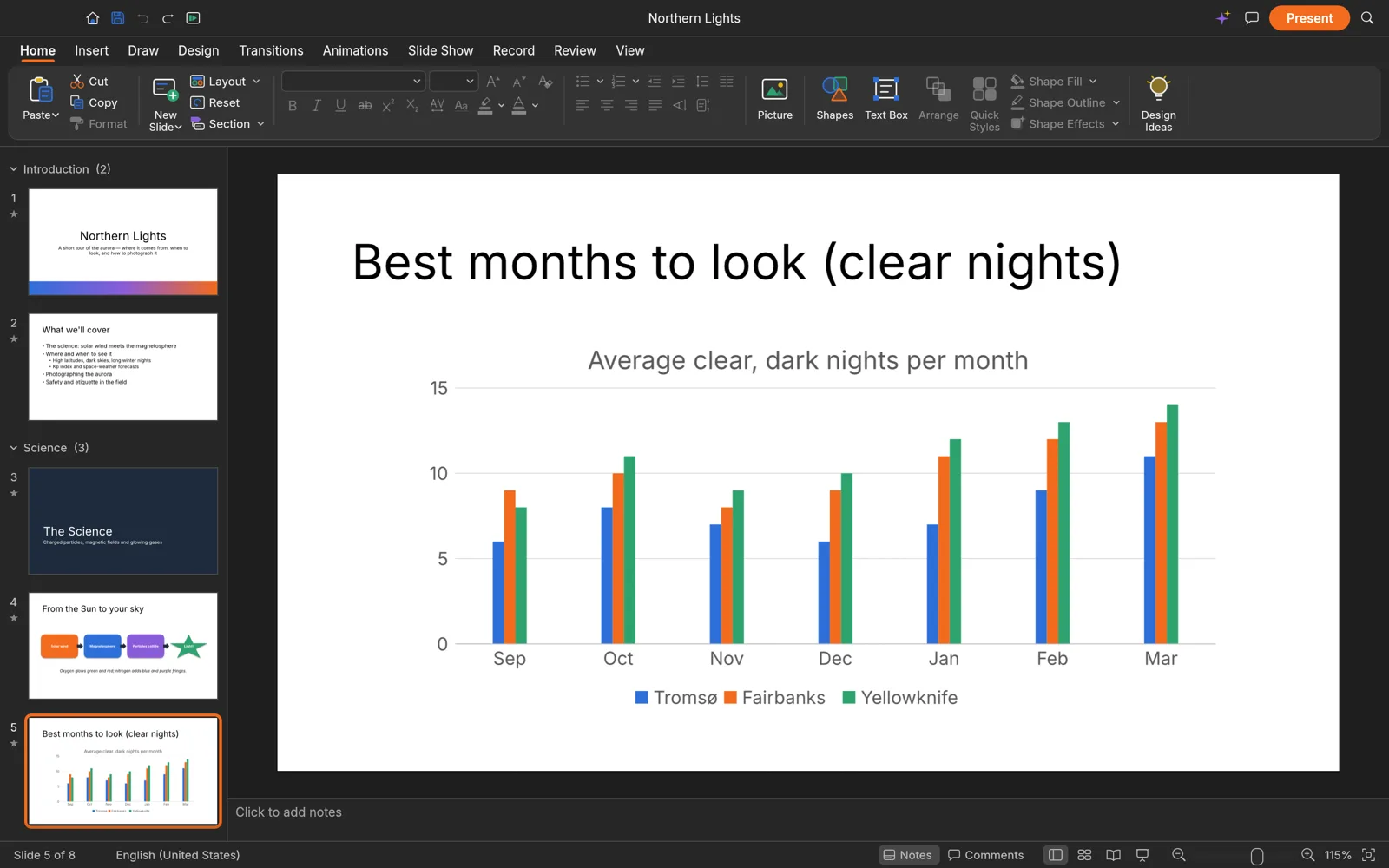
DeckCraft in dark mode showing a clustered column chart of clear nights per month for three cities

Charts, tables and a dark mode

Native charts and styled tables, pictures with crop and corrections, audio and video that play during the show. A switch in the title bar flips the interface between light and dark.

Screenshot from the DeckCraft project
AI tools · bring your own key

Draft the deck with the model you already pay for

Open the AI panel next to the slides and paste an OpenAI, Google Gemini or OpenRouter key. Describe the talk and the outline lands in DeckCraft as real slides. Generate a picture and it drops onto the current slide. Export your deck and get speaker notes, a summary or a coach’s review.

Requests go from your browser to the provider. We never see your key, prompts or slides, and we add no markup.

How the AI tools work
  • Outline to slidesA topic becomes titled slides with bullets, added after the current slide
  • Slide imagesBackgrounds, illustrations and icons in 16:9, 4:3 or square, inserted on the slide
  • Speaker notes and reviewsPer-slide notes to paste under each slide, plus summaries and audience questions
This site

What deckcraft.run adds

The editor is the official web build, byte for byte. Around it we add a few things the bare build doesn’t have.

Always the latest release

Each new DeckCraft release is checked against its published SHA-256 checksum and deployed here. You are on v0.5.0.

AI panel on your own key

Outlines that turn into slides, slide images, speaker notes and reviews, with OpenAI, Gemini or OpenRouter models, straight from the browser.

A full-screen button

One click gives DeckCraft the whole display, so the slide show fills the screen the way it does on a projector.

Nothing to sign up for

No account, no watermark, no upload. Close the tab and nothing of yours is left on a server.

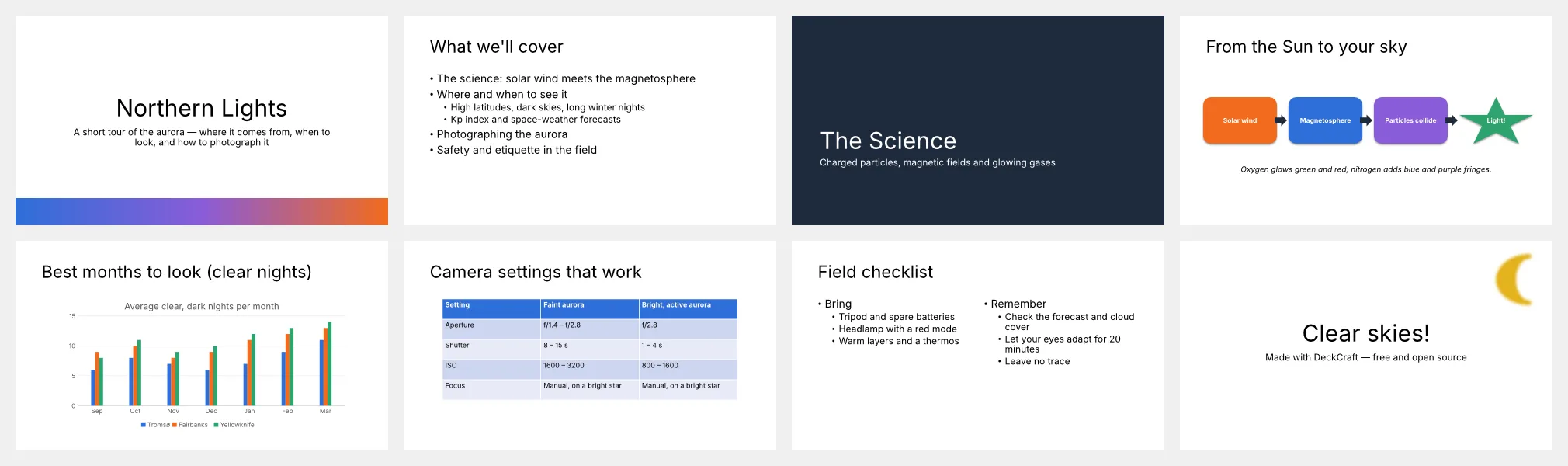
All eight slides of the Northern Lights sample deck: title, agenda, section header, process diagram, chart, table, checklist and closing slide
The sample deck that opens with the editor, eight slides with a chart, a table and a diagram. Screenshot from the DeckCraft project.
Getting started

Three steps

  1. Open the editor. The first visit downloads the app, about 12 MB compressed; after that it opens from your browser’s cache. It starts with the sample deck so you can look around.
  2. Start or open a deck. The Home icon (top left) offers a new presentation in one of eight themes, or Open… for a .pptx or .deckcraft file. You can also drag a file onto the window.
  3. Save, export, present. The Save icon downloads a .deckcraft file. For PowerPoint, PDF or images, click the search icon (top right), type Export and open the Export… dialog. Present starts the show.

DeckCraft is in alpha. Expect rough edges, keep a copy of decks you were sent, and save before closing the tab: the browser version has no autosave.

FAQ

Questions

Is DeckCraft Online free?

Yes. DeckCraft is free and open source, there is no account and no watermark. The optional AI tools run on your own API key, so any AI usage is billed by your provider, not by us.

Can it open and save PowerPoint files?

Yes. It opens .pptx, .potx and .ppsx files, and Export… saves a PowerPoint .pptx copy. Older .ppt files, macro-enabled .pptm decks and OpenDocument .odp are not supported, and EMF, WMF and SVG pictures inside a deck don’t display yet.

Are my presentations uploaded anywhere?

No. DeckCraft runs inside your browser with WebAssembly. Opening, editing, presenting and saving happen on your device, and saved files arrive as downloads. The only exception is the AI panel, which sends what you ask it to (a prompt or your deck’s text) straight to the AI provider whose key you entered.

Does it save my work automatically?

No. The desktop app has AutoRecover, but the browser version keeps nothing between visits. The Save icon downloads a .deckcraft file you can open again later; save before you close or reload the tab.

Can I present from the browser?

Yes. Present starts the slide show from the current slide and Play from Start from the first, with transitions, animations and media. Click Full screen in the top bar first to give the show your whole display.

Which browsers work?

A current Chrome, Edge, Firefox or Safari with WebGPU or WebGL2; DeckCraft picks WebGPU when it can. A laptop or desktop works best, since the ribbon and panes are built for a mouse and a large screen.

Is the interface available in other languages?

Not yet. DeckCraft’s interface is in English only for now; its developers plan a translation catalog, starting with Chinese, Spanish, French, German and Japanese, on the way to beta.

Can DeckCraft replace PowerPoint?

Not completely, and its developers say so. DeckCraft is an independent, clean-room project in alpha. They measure it at 79% of PowerPoint’s features by breadth and estimate it is about 55% of the way to replacing PowerPoint for real work.
Open the editor and build your first slide

Free, private, and already loaded on your next visit.

Open the editor